Sites
A site is one home energy system: the storage system, grid meter and other devices installed at one address. Everything you see on the home page and the device list belongs to the site that is currently selected. One user can have more than one site.
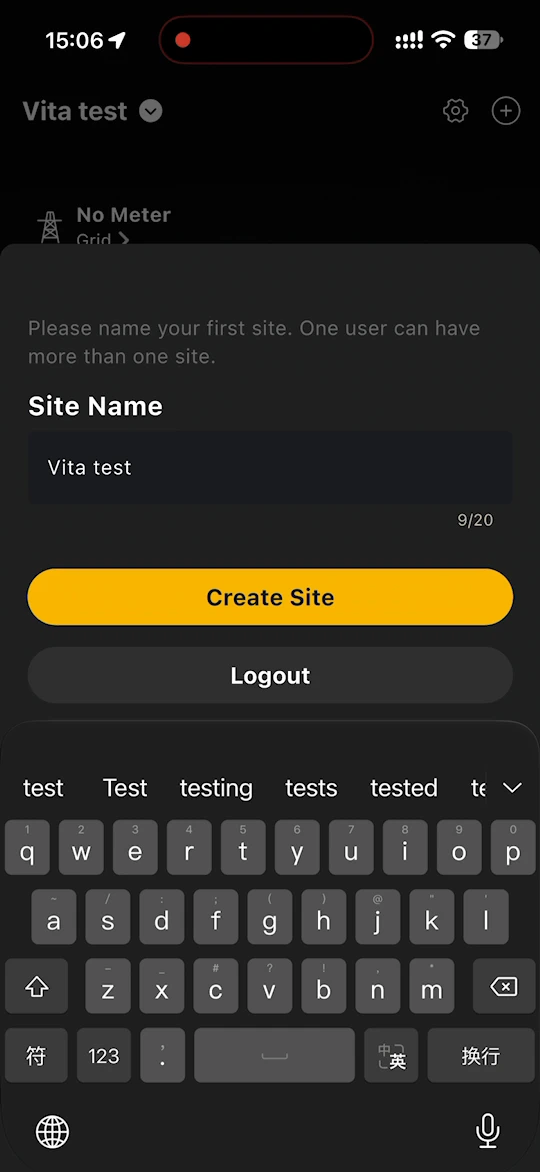
Create your first site
The first time you log in, the app asks you to name your first site.
- Enter a Site Name of up to 20 characters.
- Tap Create Site.
Once the site is created, the home page opens and you can add your devices. See Binding.
Switch between sites
The name of the current site is shown in the top left corner of the home page and the device list. Tap the site name to switch to another site.
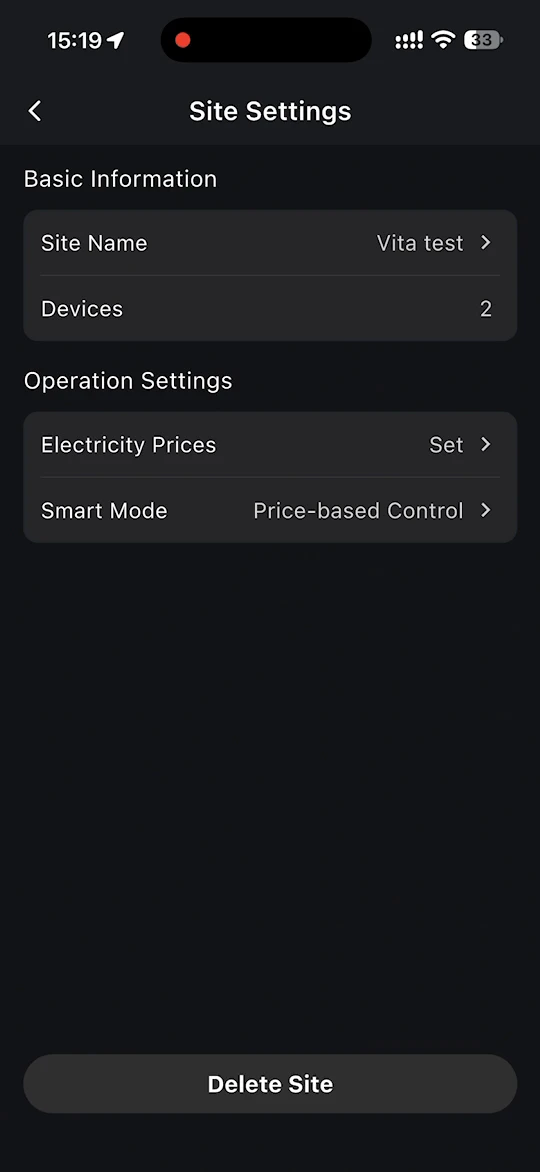
Site Settings
Tap the gear icon in the top right corner of the home page or the device list to open Site Settings.
- Basic Information
- Site Name - change the name of the site.
- Devices - the devices bound to the site.
- Operation Settings
- Electricity Prices - connect the electricity tariffs of your energy supplier. See Electricity Prices.
- Smart Mode - choose how your storage system charges and discharges. See Modes Switch.
- Delete Site - delete the site from your account.