

Modes Switch
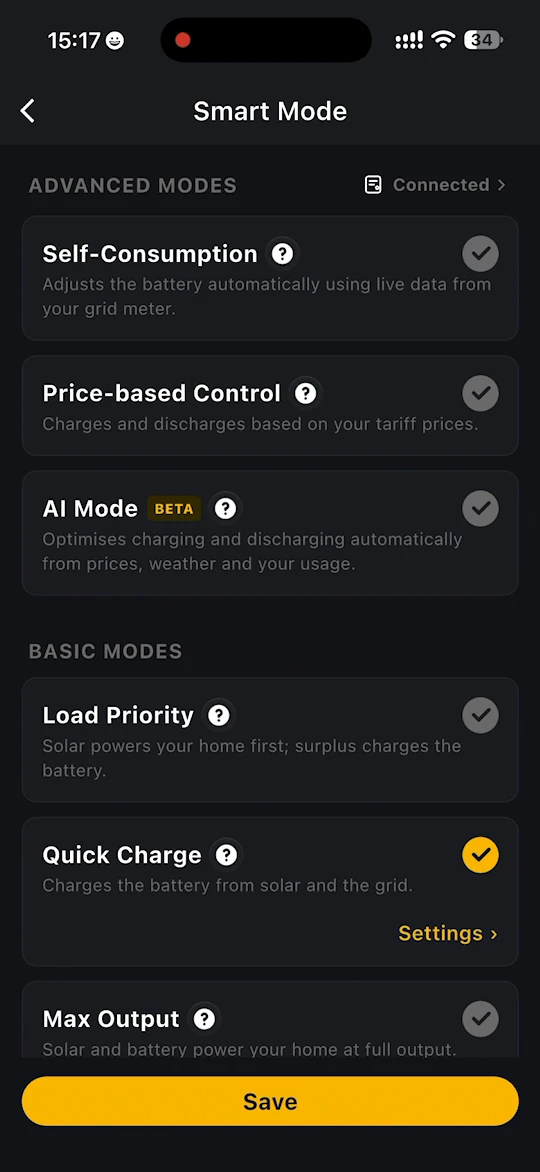
On the home page, tap Smart Mode to open the mode switching page. You can also open it from Site Settings > Smart Mode.
The modes are grouped into two sections:
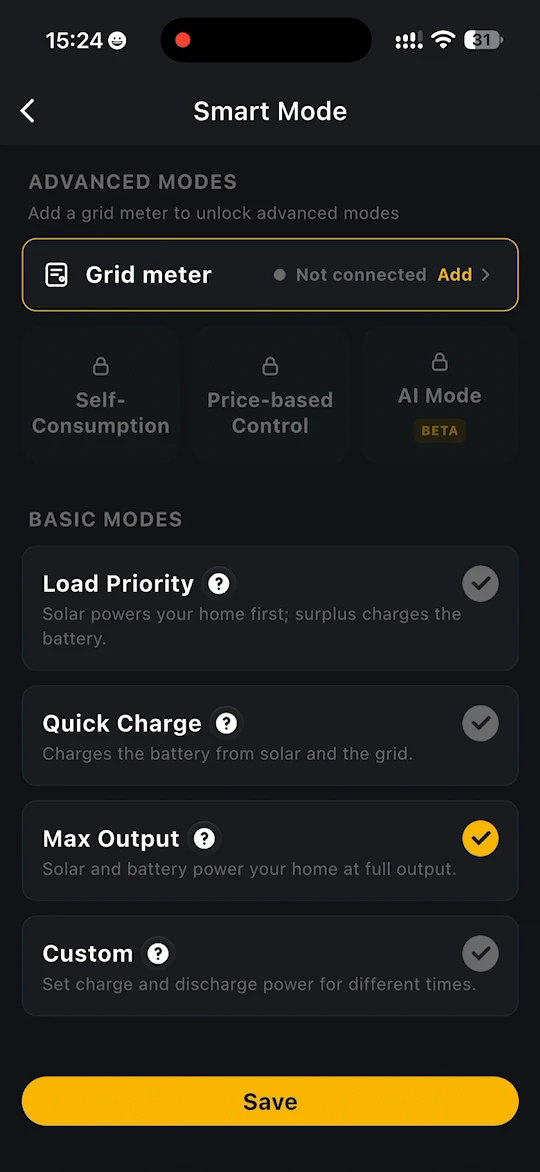
- Basic Modes - Load Priority, Quick Charge, Max Output and Custom. These work with your storage system alone.
- Advanced Modes - Self-Consumption, Price-based Control and AI Mode. These need a grid meter.
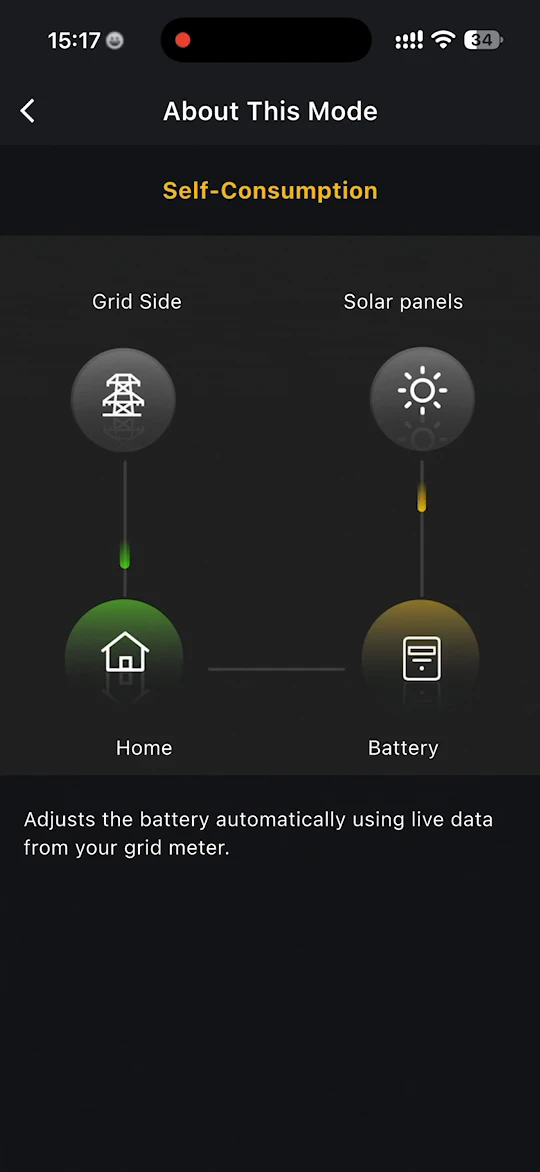
To switch mode, select a mode and tap Save. Tap the question mark beside a mode to see About This Mode, an illustrated explanation of how it works. If a mode has settings of its own, tap Settings under it once it is selected.
INFO
Until a grid meter is connected, the advanced modes are locked and the page shows Add a grid meter to unlock advanced modes. Tap Add beside Grid meter to add one. See Grid Meter. Once a grid meter is connected, the page shows Connected instead.
Which mode to choose
| If you want to... | Choose |
|---|---|
| Power your home from solar first and store the surplus | Load Priority (default) |
| Charge the battery as fast as possible | Quick Charge |
| Power your home from solar and battery at full output | Max Output |
| Set your own charge and discharge times | Custom |
| Follow your home's consumption in real time | Self-Consumption (needs the grid meter) |
| Charge when power is cheap and discharge when it is expensive, by your own rules | Price-based Control (needs the grid meter and your electricity prices) |
| Let the app plan charging and discharging for you | AI Mode (needs the grid meter) |
On a flat-rate tariff, Price-based Control has little to work with and AI Mode simply maximises self-consumption, so Self-Consumption is usually the better choice.
Basic Modes
Load Priority (Default)
Solar powers your home first; surplus charges the battery.
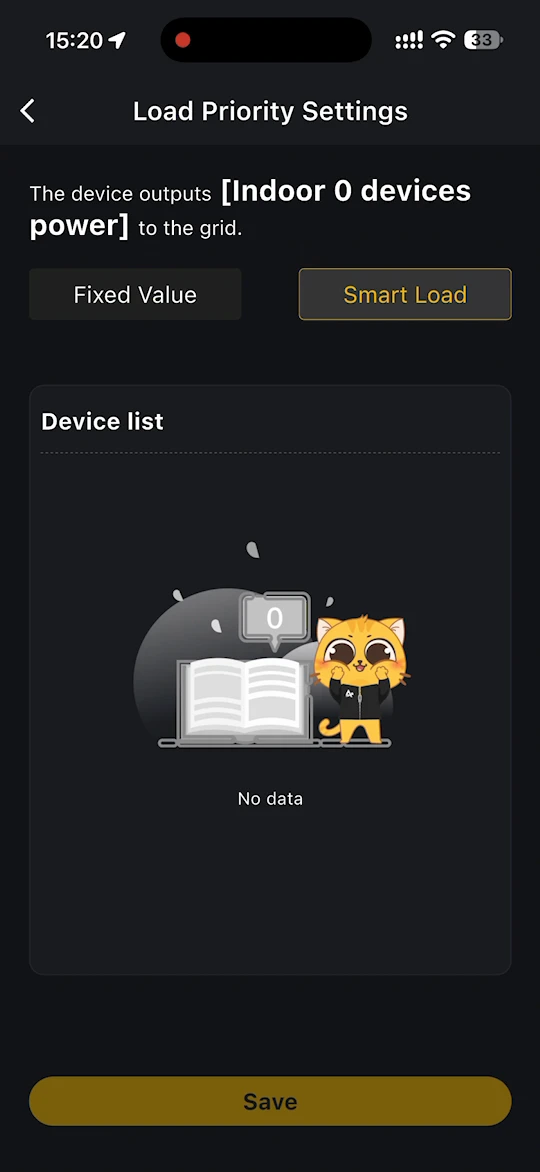
Under Settings, choose how much power the device outputs to the grid:
- Fixed Value - enter the power yourself.
- Smart Load - the device outputs the power used by the devices in the Device list.
Tap Save to apply.
Quick Charge
Charges the battery from solar and the grid, at the highest power the battery allows. Solar is used first, and the grid tops up whenever solar cannot supply enough.
Under Settings, you can cap the power drawn from the grid to charge the battery. Whatever you enter, the device never exceeds the charging power it actually allows. Tap Save to apply.
Max Output
Solar and battery power your home at full output.
Custom
Set charge and discharge power for different times. Outside the time periods you set, the device runs in Load Priority (default) mode.
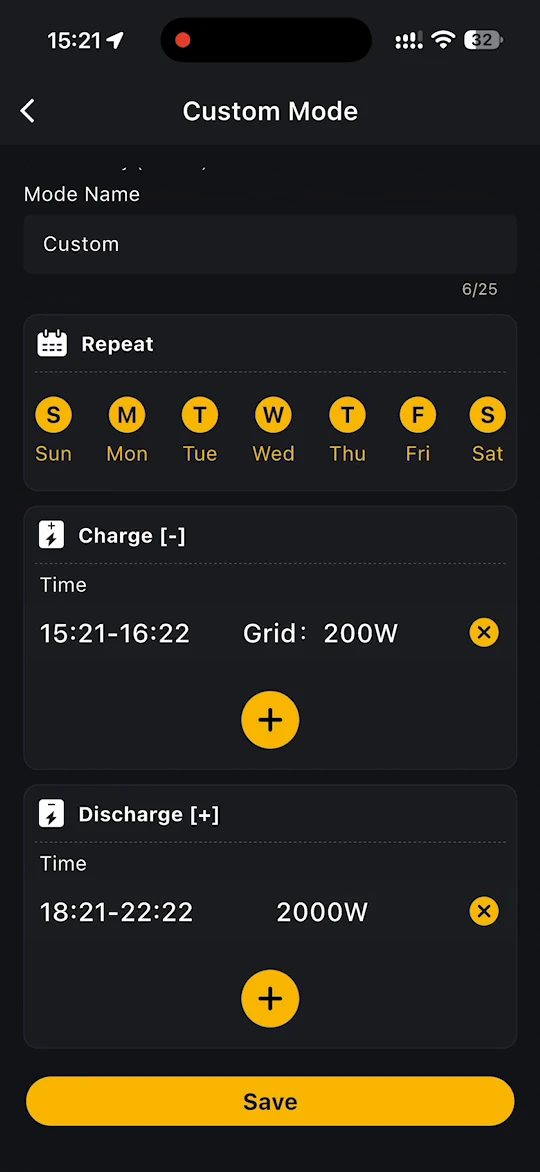
Under Settings, Custom Mode lets you:
- give the mode a Mode Name of your own, up to 25 characters. Each custom mode name must be unique.
- choose the days it repeats on under Repeat
- add one or more Charge [-] periods. For each, set a start and end time, and choose whether to Allow grid charging. If grid charging is allowed, enter how much power the grid side provides for battery charging. This is limited by the device's maximum charging power.
- add one or more Discharge [+] periods, each with a start and end time and a discharging power
Tap + to add a period, or the cross beside a period to delete it. Tap Save to apply.
INFO
Once the maximum feed-in power has been unlocked in the storage system's device settings, the fixed grid feed-in power in Load Priority and Custom can be set above 800W, up to 2000W on VT1000 and 3680W on Alpha 3600 AC. See Unlock the Maximum Feed-in Power.
Advanced Modes
Self-Consumption
Adjusts the battery automatically using live data from your grid meter. The system follows your home's consumption in real time, using as much of your solar generation as possible to supply the household.
INFO
Electricity Prices, Price-based Control and AI Mode are in a limited beta and are currently available to selected users only. They are not yet available to all users, so they may not be available in your app.
Price-based Control
Charges and discharges based on your tariff prices. See Price-based Control.
AI Mode (Beta)
Optimises charging and discharging automatically from prices, weather and your usage. See AI Mode.
Price-based Control or AI Mode?
Both modes use your electricity prices. See Electricity Prices.
| Price-based Control | AI Mode (Beta) | |
|---|---|---|
| Who decides | You set rules for each price band | The app plans for you |
| What it uses | Your import and export prices | Your prices, the solar forecast and your home's usual consumption |
| What you set | What the battery does at high, standard, low and negative prices, power limits, SOC limits and feed-in | An AI strategy, for example Balanced or Maximise savings |
| Best for | You want full control, or want to make sure the battery charges at negative prices | You want the system to optimise itself through the day |
Both modes respect your battery settings. You can switch between them, or back to a basic mode, at any time.