

Third-Party Devices
Shelly is the only third-party brand Energy Life can bind. To bind your storage system or an AlphaESS accessory, see AlphaESS Devices.
Before You Bind a Shelly Device
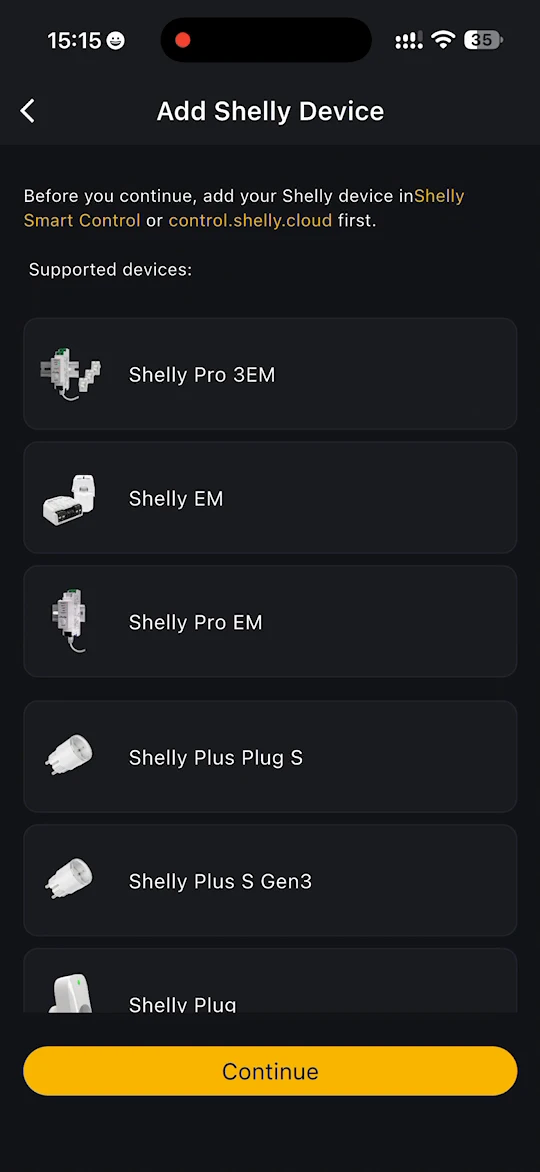
Add your Shelly device to your Shelly account first, using either the Shelly Smart Control app or control.shelly.cloud.
Supported devices
The app lists the Shelly models it supports, including:
- Shelly Pro 3EM
- Shelly EM
- Shelly Pro EM
- Shelly Plus Plug S
- Shelly Plus S Gen3
- Shelly Plug
Bind a Shelly device
- On the device list, tap Shelly beside Third-party device.
- Add Shelly Device shows the supported devices. Tap Continue.
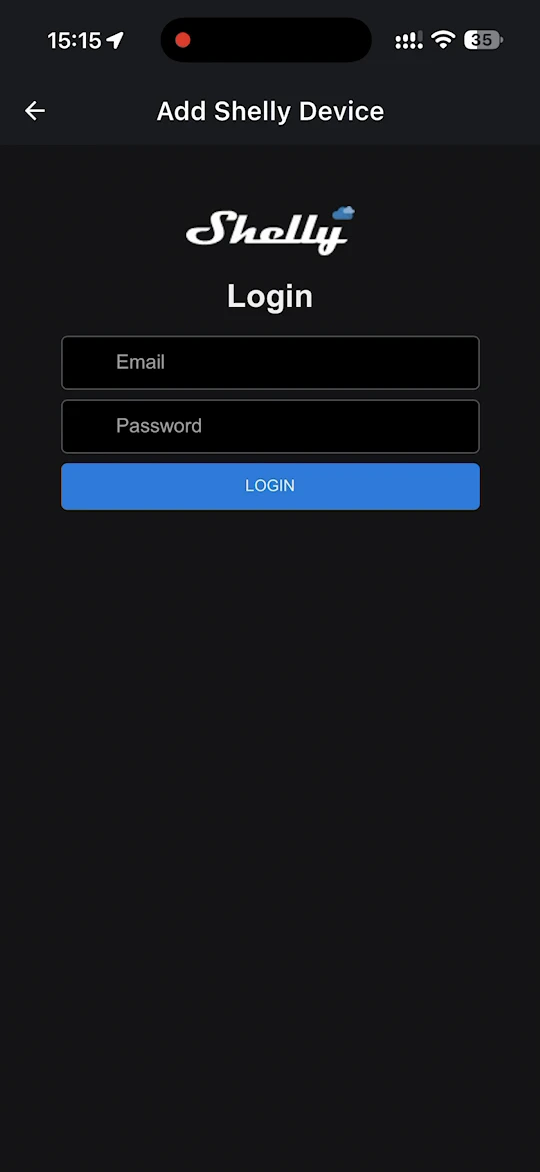
- Log in with the email address and password of your Shelly account, then authorise Energy Life to access and control your Shelly devices.
INFO
- Make sure the device is powered on and connected to the internet.
- If the app says the device is already bound, unbind it from the site it is bound to first.
- A Shelly energy meter must be fitted on the incoming side as required. If it is fitted anywhere else, the data shown for it will be wrong.
WARNING
Shelly and related trademarks are registered trademarks or trademarks of Allterco Robotics EOOD. References to Shelly devices in this documentation are for technical integration purposes only and do not imply any affiliation, authorisation, or endorsement.