Device Management and Details
Opening Device Management
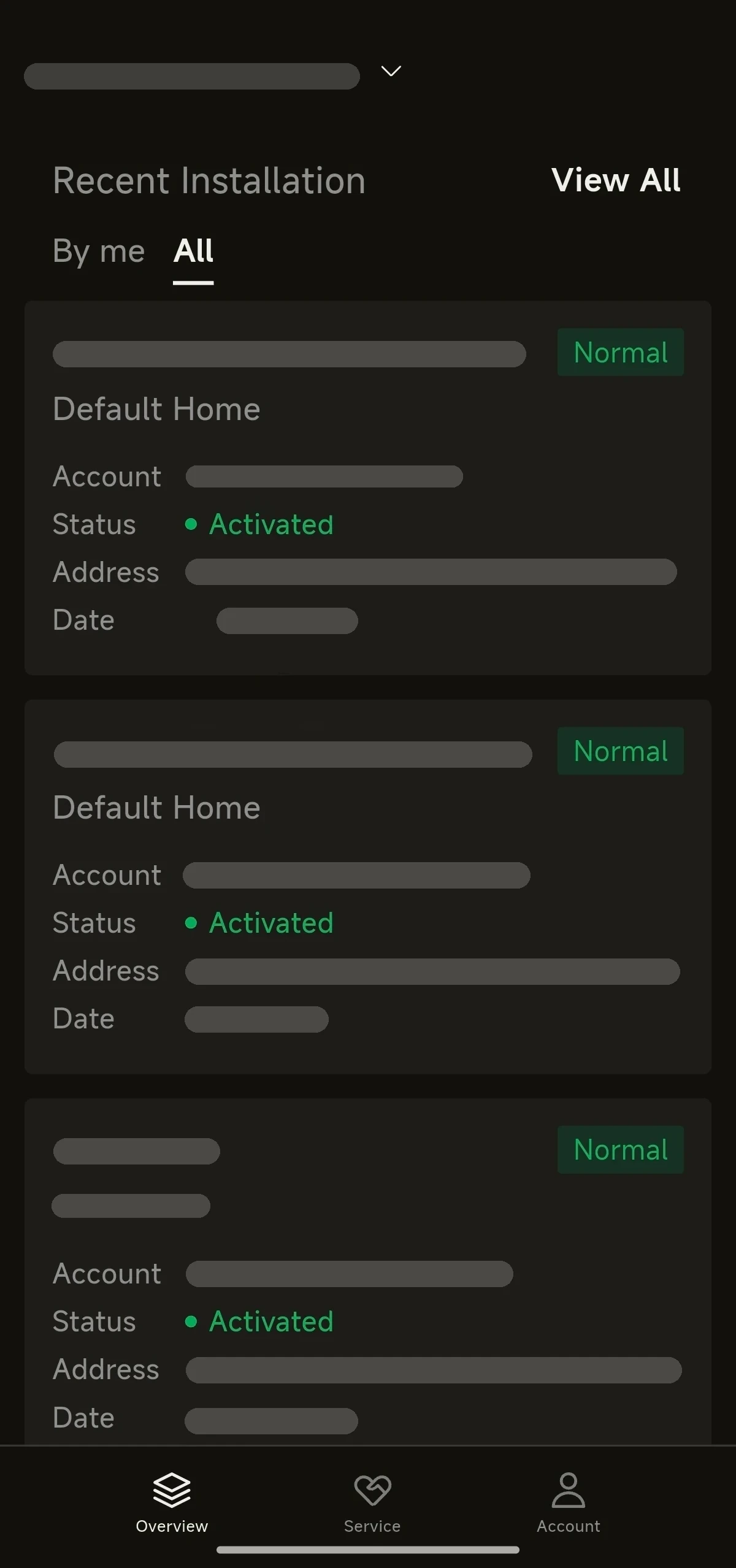
- On the home page, under Recent Installation, tap All, then tap a site to open its site information page.
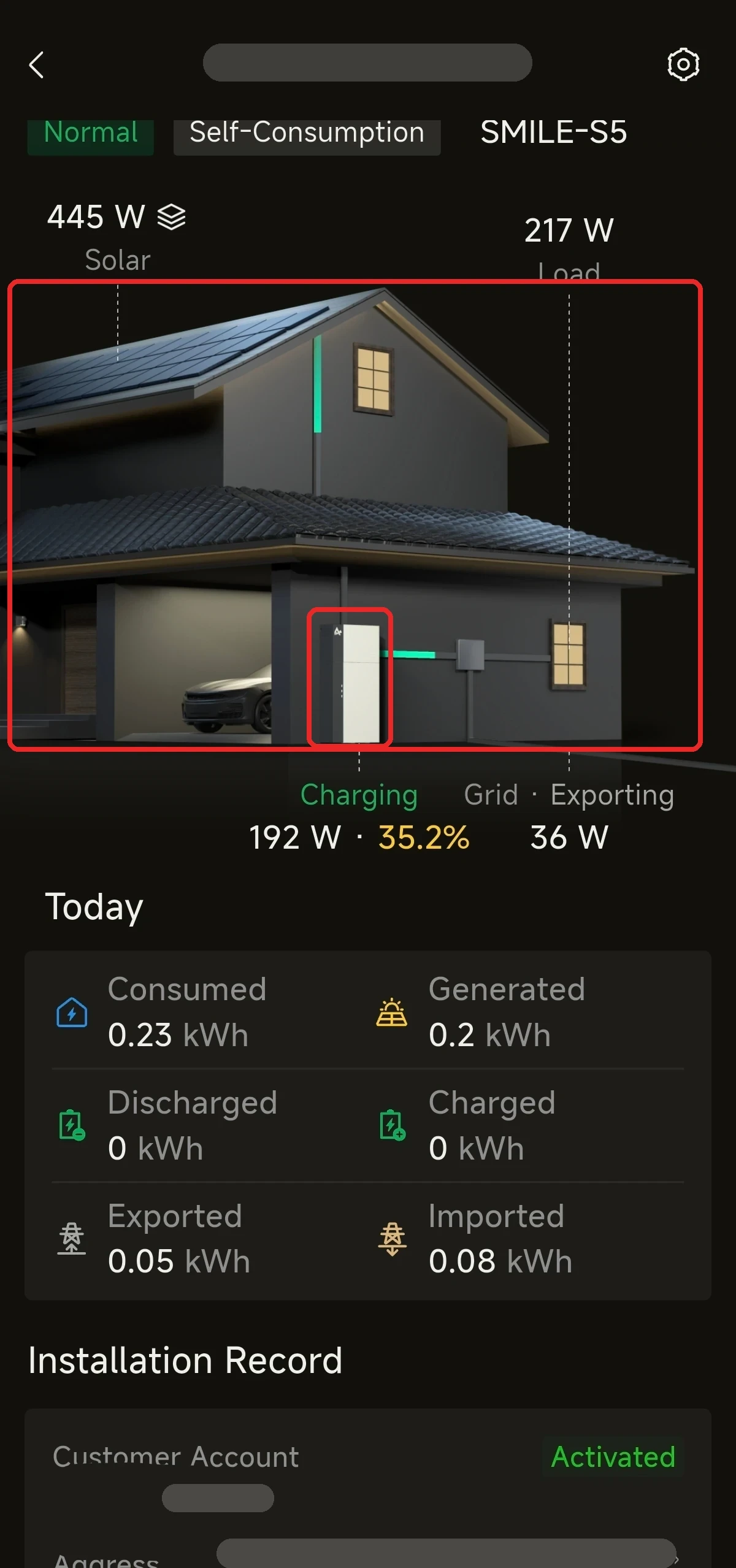
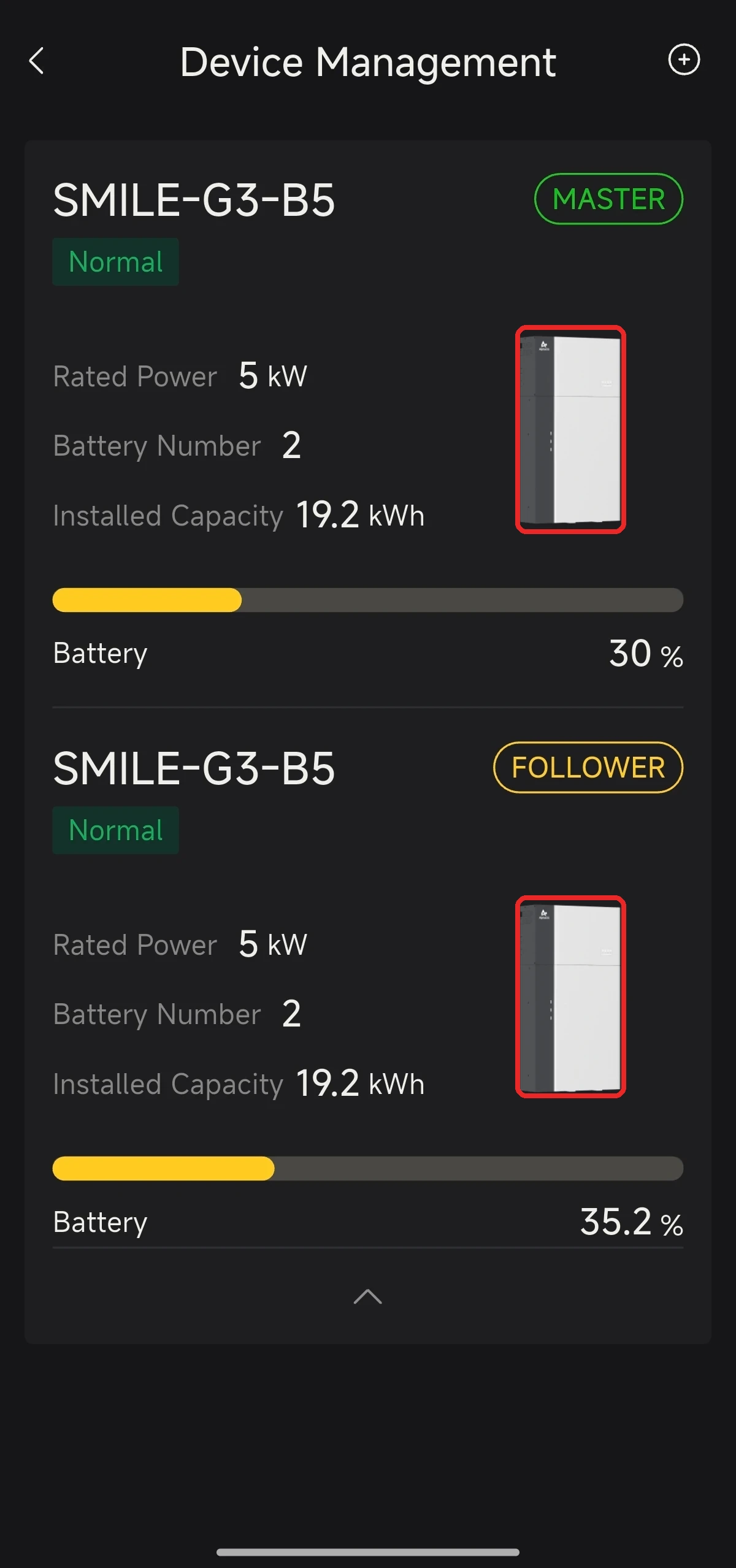
- On the site information page, tap the house image or the device image (marked with red boxes below) to open Device Management. It shows the basic information of each device at the site: its model, role (MASTER / FOLLOWER in a parallel system), status, rated power, battery number, installed capacity and battery level.
- On the Device Management page, tap the device image in a device's card (marked with red boxes below) to view more details.
Device Details
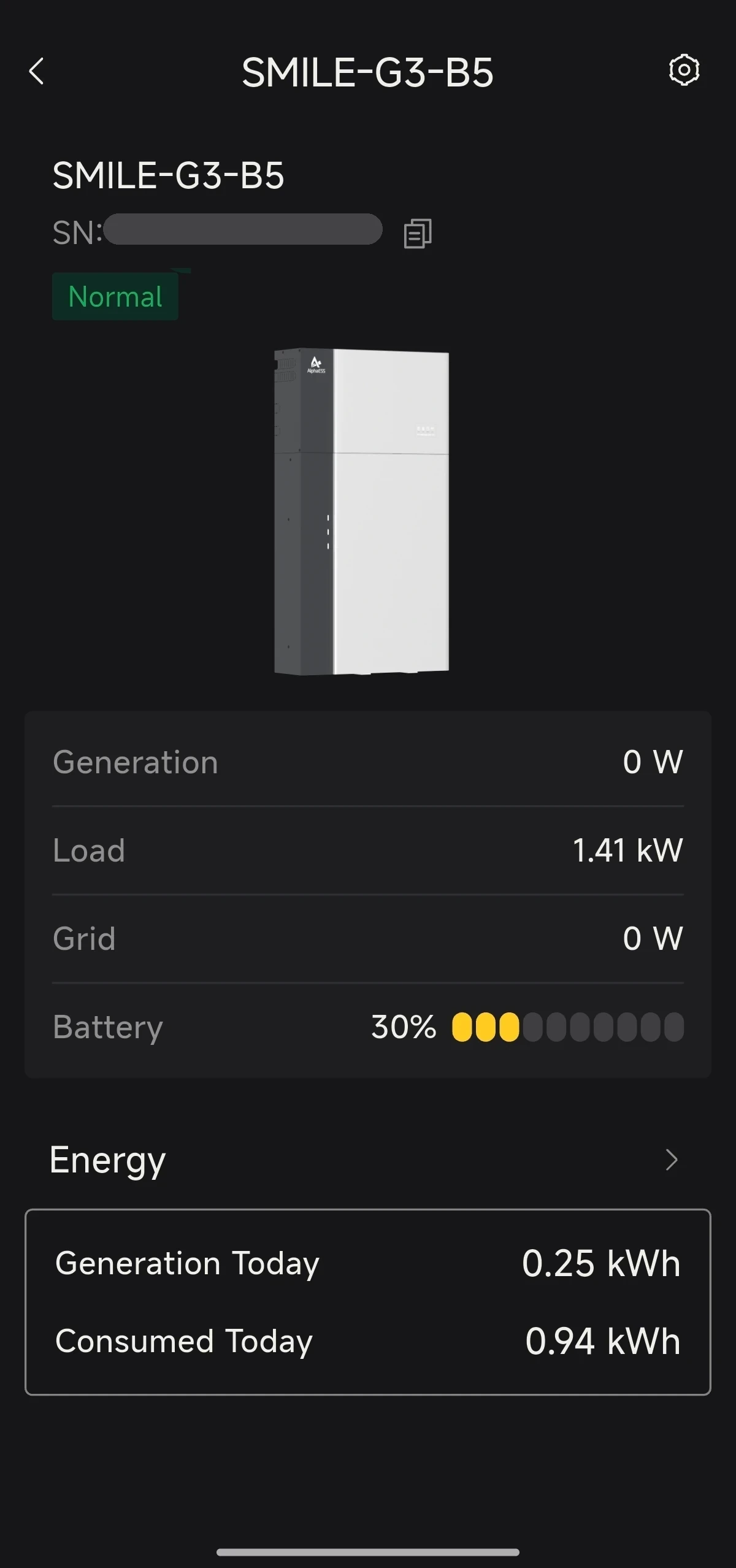
- The device details page shows real-time data such as Generation, Load, Grid and Battery (SOC), as well as today's energy statistics (Generation Today, Consumed Today).
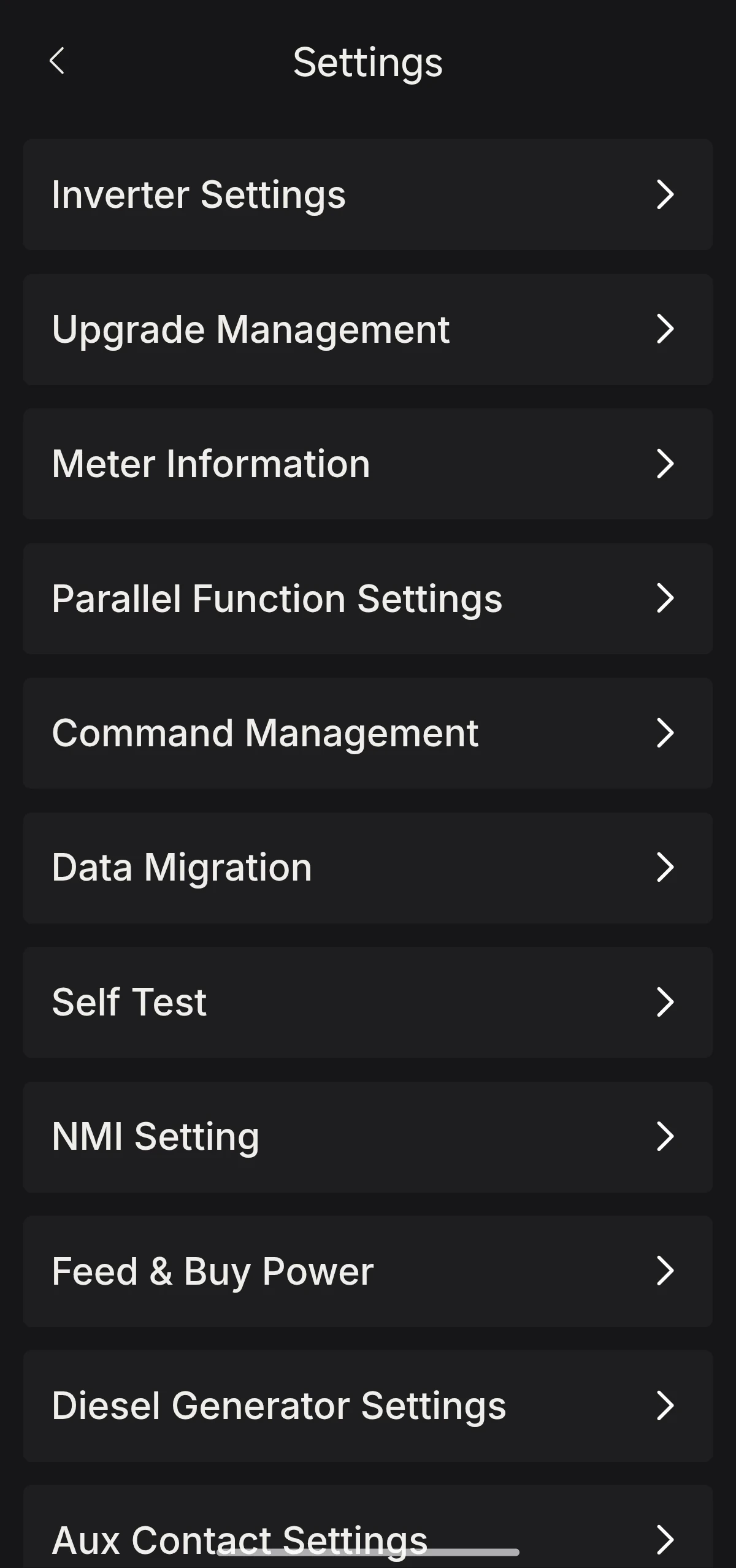
- Tap the settings button in the top right corner to open the device's Settings page and configure the device.