Installation Record Management
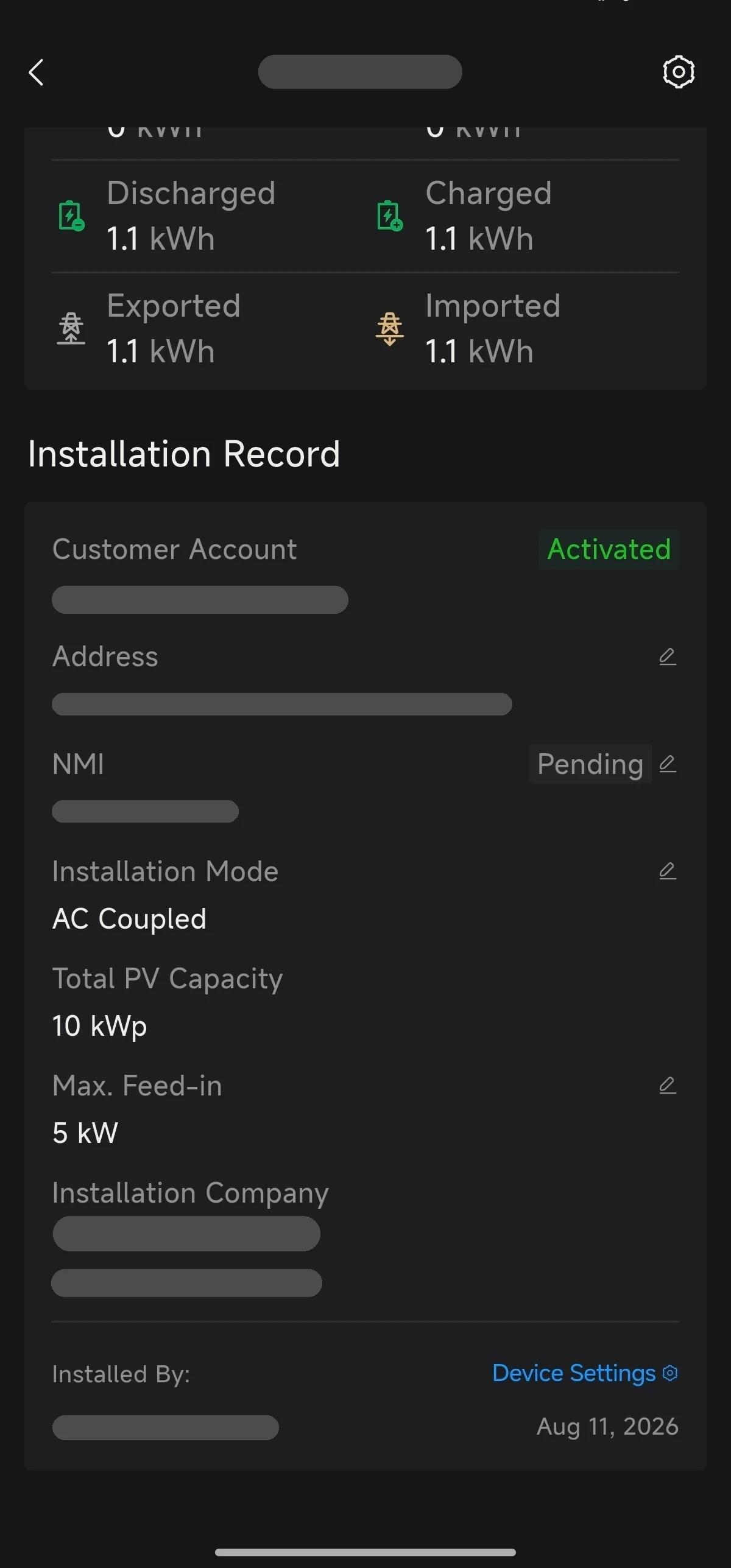
Open a site and scroll to the Installation Record section at the bottom of its overview page to view and amend the installation details of the site's devices.
Installation Details
The Installation Record section shows:
- Customer Account: the end user's account and its activation status
- Address: the installation address
- NMI (AU only)
- Installation Mode: AC Coupled, DC Coupled or Hybrid Coupled
- Total PV Capacity
- Max. Feed-in: the feed-in power limit
- Installation Company
- Installed By: the installer and the installation date
Amending Installation Details
Fields with an edit icon can be amended: Address, NMI, Installation Mode and Max. Feed-in. Tap the edit icon next to a field to change it.
Device Settings
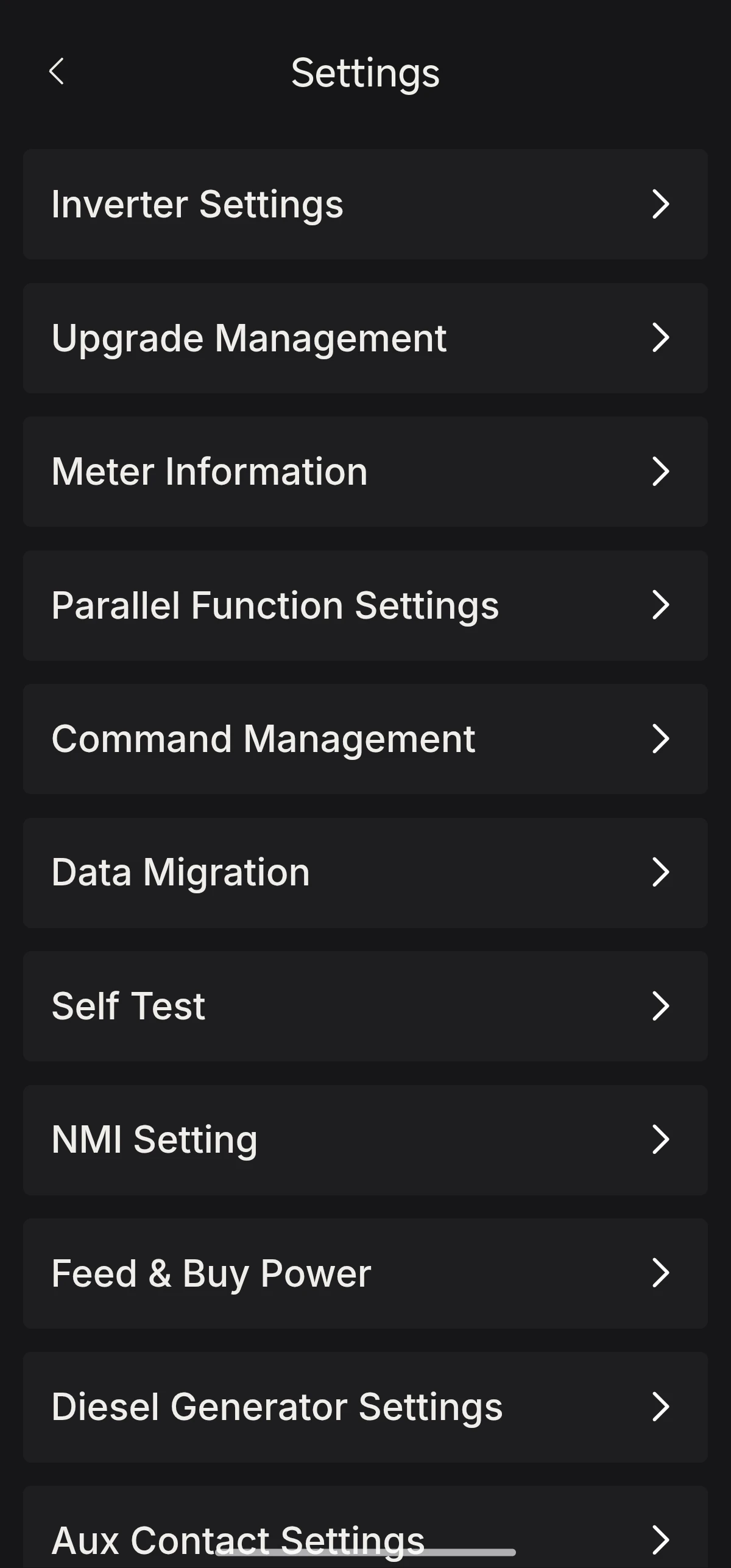
Tap Device Settings to open the device's Settings page and configure further device information, such as Inverter Settings, Upgrade Management, Meter Information, Parallel Function Settings, Command Management, Data Migration, Self Test, NMI Setting, Feed & Buy Power, Diesel Generator Settings and Aux Contact Settings.