

Everyday use
Understand the indicators, switch safely and use backup power.
Switch on
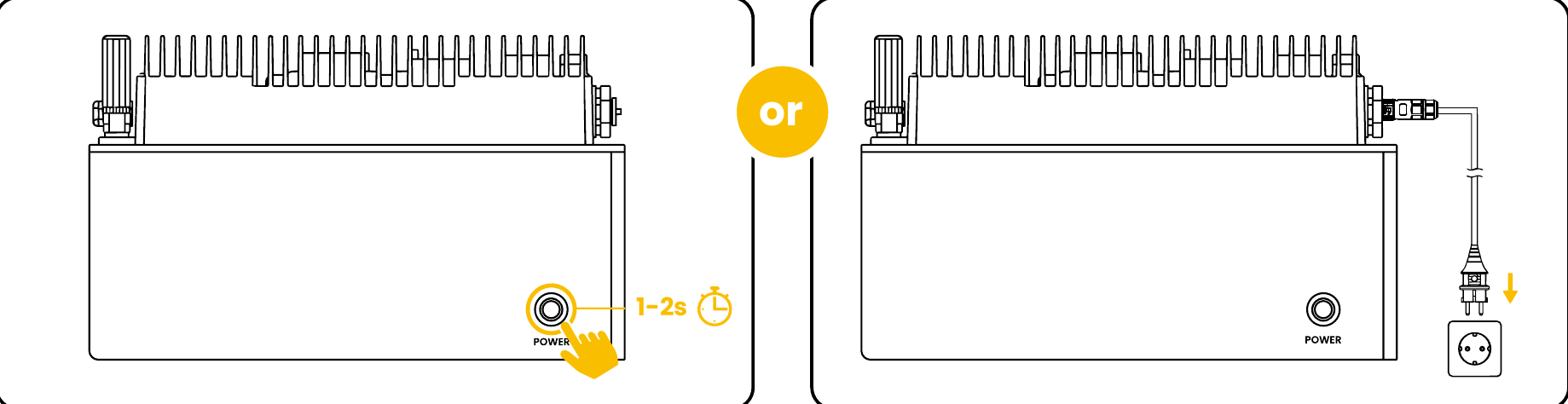
Hold POWER for 1–2 seconds, or connect the AC power supply. The system indicators light up.
Shut down completely
DANGER
The system may remain energized after disconnecting the grid
Some system components remain energized in Backup Power Mode. Before installation or removal, shut the system down completely and disconnect it from all power sources.
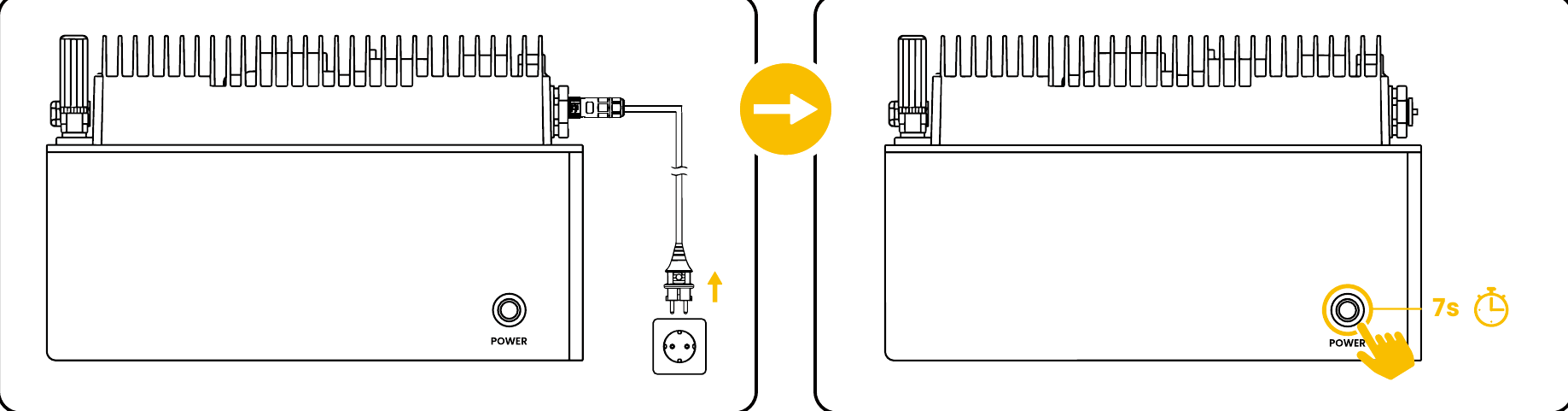
Follow the shutdown sequence in the quick installation guide.
- Disconnect AC: Disconnect the AC supply first
- Hold ≥7 seconds: Release when the indicators go out
- Wait 5 seconds: System shutdown completes
INFO
Allow the equipment to cool
Surfaces may be hot during operation. After shutdown, allow 30 minutes for cooling before touching hot surfaces.
Indicators and state of charge
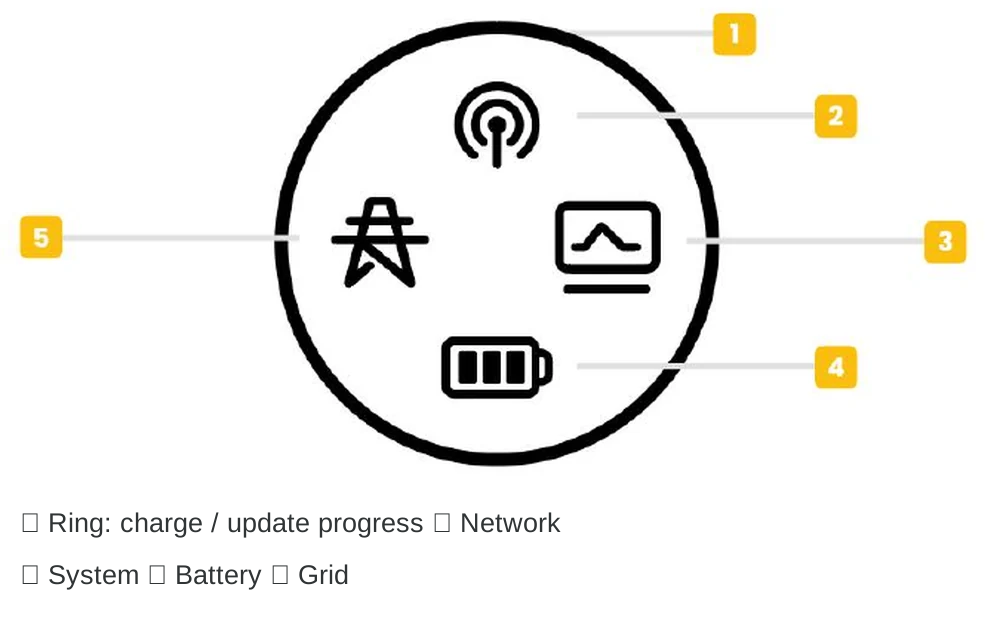
Use the numbers to identify the state-of-charge, network, system, battery and grid indicators.
| Indicator | Status | Meaning |
|---|---|---|
| Circular display | 25% per segment | Shows the state of charge during normal operation, or upgrade progress during an upgrade. |
| Network | ⚪ Flashing white | Pairing or connecting. |
| Network | ⚪ Steady white | Connected to the network and server. |
| Network | ⚫ Off | No Wi-Fi or Bluetooth connection. |
| System | ⚪ Steady white | The system is operating normally. |
| System / Battery | 🔴 Steady red | System fault / battery fault, respectively. |
| Battery | 🟢 Steady green | Charging. |
| Battery | 🟡 Steady yellow | Discharging. |
| Grid | ⚪ White / off | Grid connected / disconnected. |
INFO
Use the illustration to identify the indicators
Check the actual icon positions on your device display. An unlit network indicator is different from a red system fault indicator.
Use Backup during a power outage
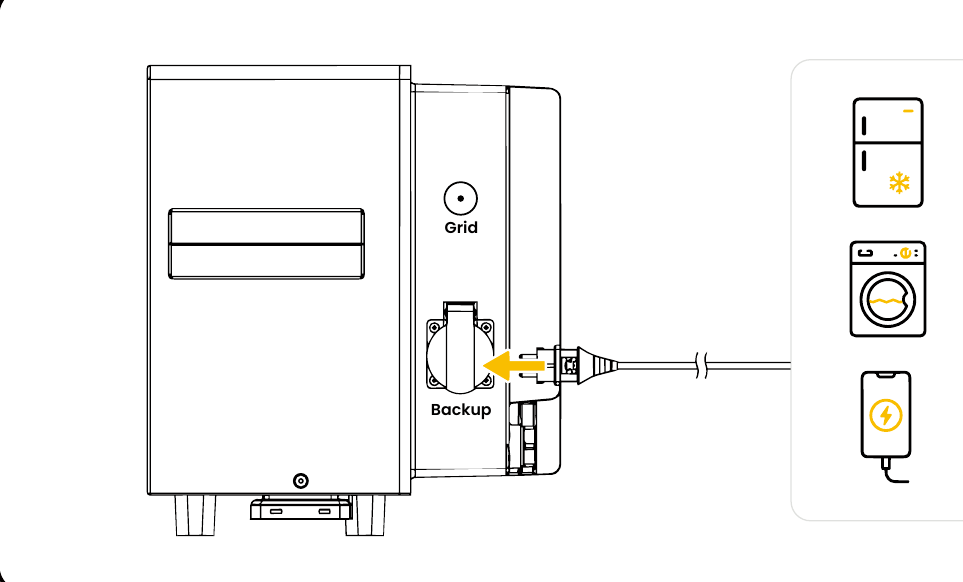
Connect appliances directly to Backup; use Grid for the home grid connection.
Connect selected appliances directly to Backup
Their total power must be within the system’s permitted limit, with sufficient battery charge available.
Automatic backup power during a grid outage
The quick guide specifies a transfer time of less than 10 ms and a maximum Backup output of 3680 W / 16 A.
DANGER
Backup does not automatically power the whole home
Backup is a separate output. Never feed it into a wall socket or distribution board. Do not modify household wiring yourself.