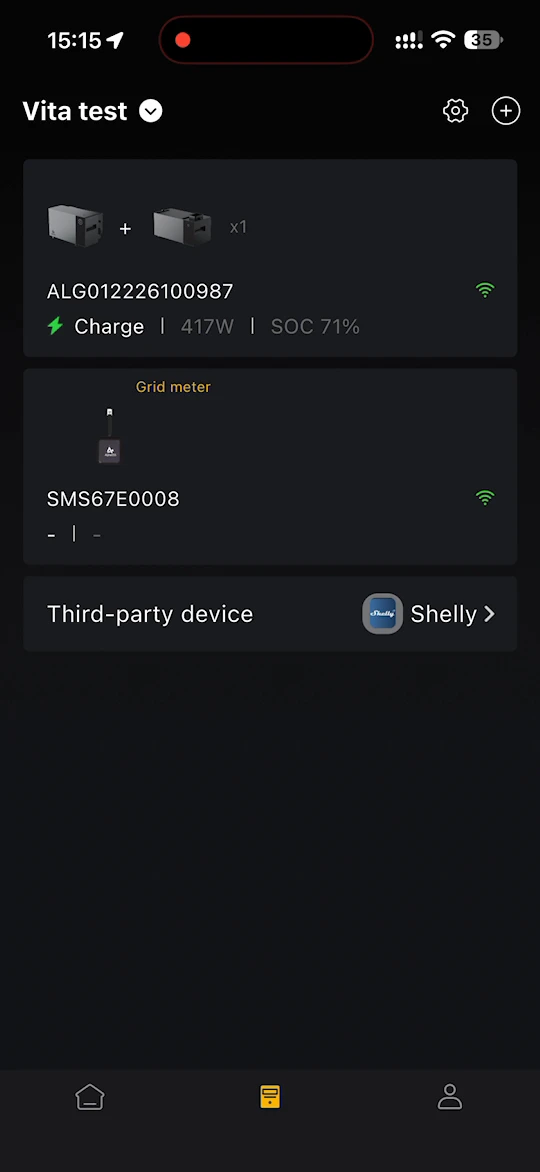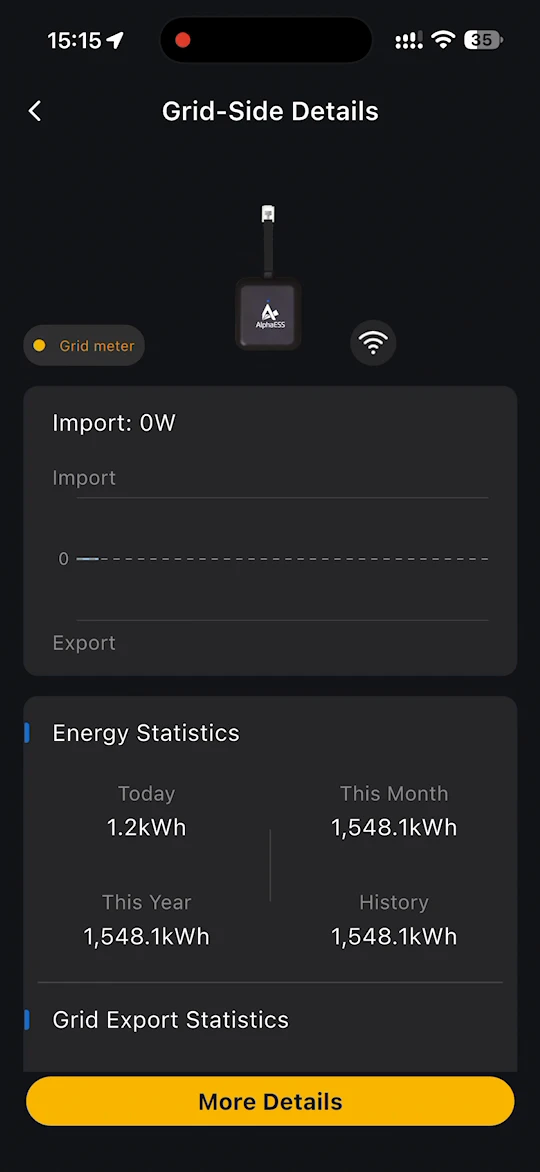
电网电表
电网电表记录你的家庭从电网取电和馈入电网的功率。对于 Alpha 3600 AC,电网电表为 SMILE-A-AECP1-R12-WB,需要接到你的家庭电能表上。
使用高级智能模式需要电网电表:自发自用、Price-based Control 和 AI模式。在接入电网电表之前,这些模式处于锁定状态。参见模式切换。
INFO
电网电表必须与你的储能系统处于同一家庭网络、同一电网。
打开电网电表设置
你可以从以下任意位置进入:
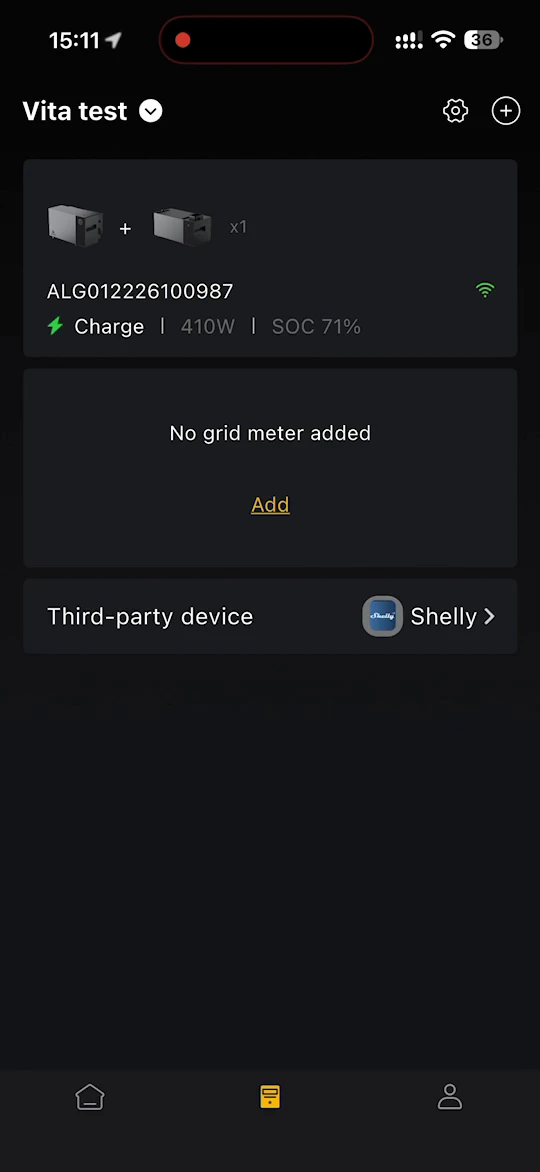
- 在设备列表中,点击未添加电网电表下方的添加。
- 在首页中,点击电网一侧的无电表。
- 在智能模式页面中,点击电网电表旁边的添加。
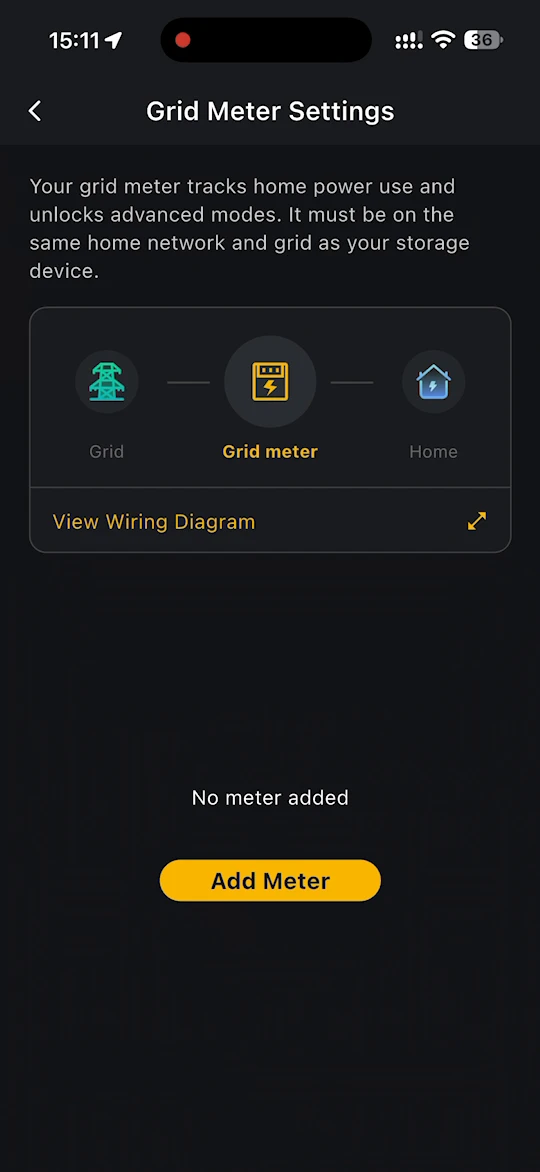
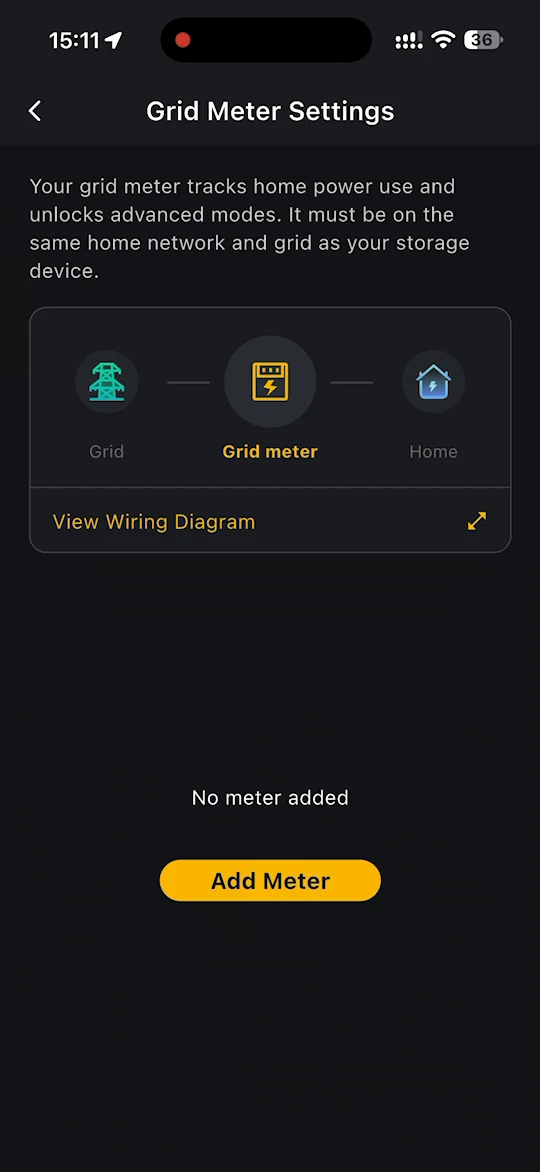
电网电表设置页面显示电网电表的位置:位于电网与你的家庭之间。点击查看接线图,可查看它如何安装到电能表上。
添加电网电表
- 在电网电表设置页面中,点击添加电表。
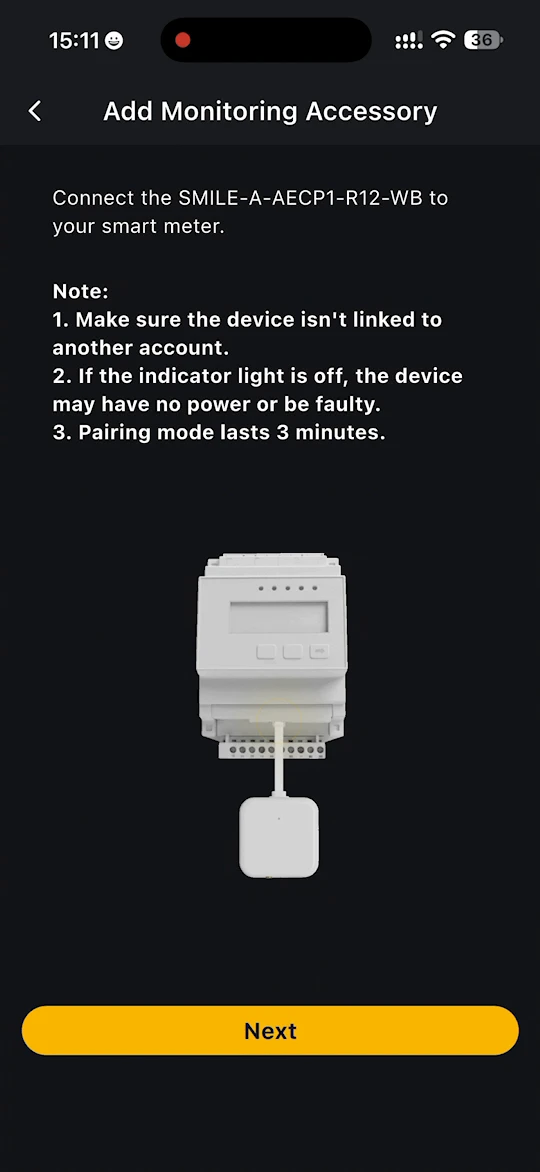
- 添加监控配件页面会提示你把 SMILE-A-AECP1-R12-WB 接到智能电表上。阅读注意事项,然后点击下一步。
- 按照 app 中的步骤查找电网电表,并将其连接到家庭 Wi-Fi。操作步骤与储能系统相同。参见 AlphaESS 设备。
- 在设备已添加页面中,点击完成。
INFO
- 请确认电网电表未绑定到其他账户。
- 如果指示灯不亮,可能是电网电表未通电或已损坏。
- 配对模式持续 3 分钟。如果超时,请重新让电网电表进入配对模式。
查看电网侧数据
电网电表添加完成后,会显示在设备列表中。点击它可打开电网侧详情,你可以在其中查看:
- 当前的购电或馈网功率,以及当天的曲线图
- 电量统计 — 今日、本月、本年及累计(历史)电量
- 馈网统计 — 馈入电网的电量
点击更多详情,可查看电网电表的更多信息。